Planning
How Much Does Professional Smart Home Installation Cost in Dallas–Fort Worth?
The honest answer is that a professional smart-home project can range from a focused network or media upgrade to a complete, multi-system build. There is no responsible universal package price because the work is not one product.
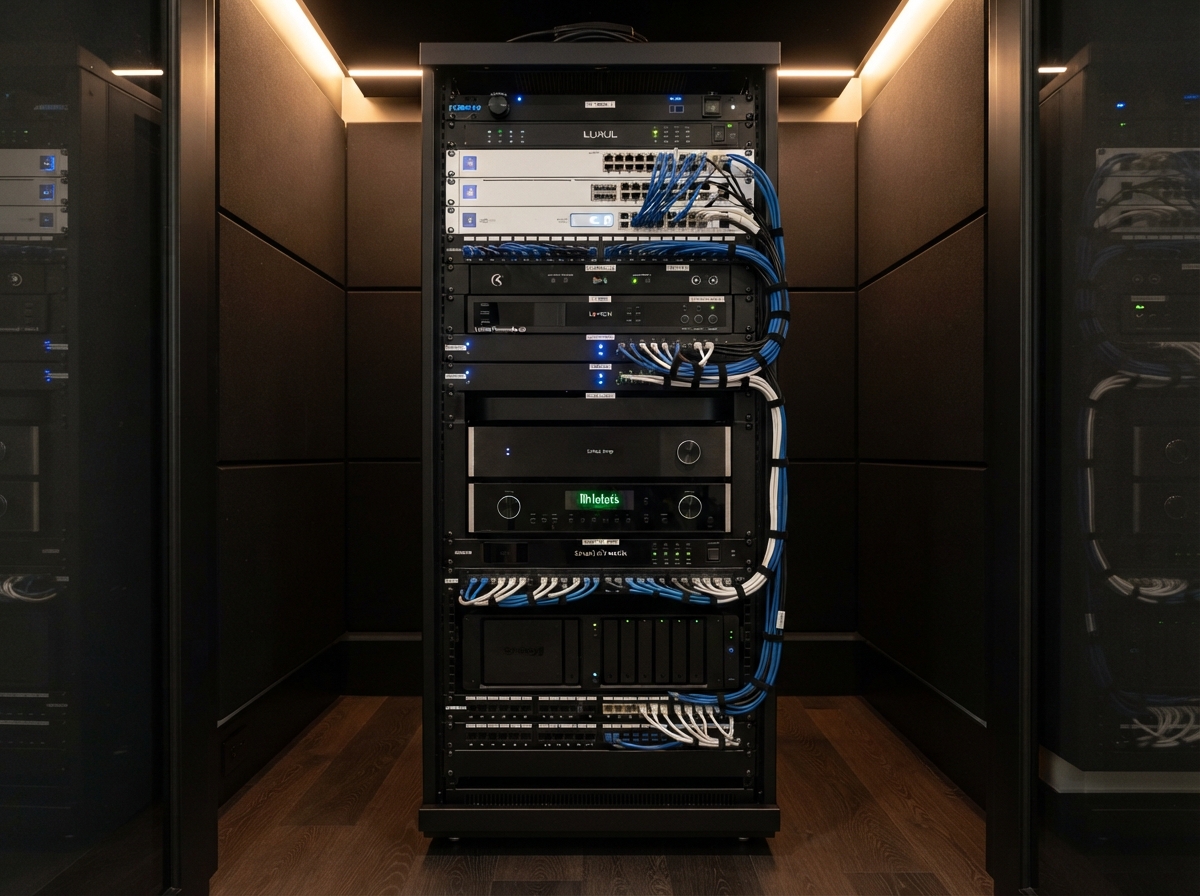
The honest answer is that a professional smart-home project can range from a focused network or media upgrade to a complete, multi-system build. There is no responsible universal package price because the work is not one product. It is a combination of design, access, wiring, network infrastructure, equipment, labor, programming, testing, documentation and support.
This guide does not publish bait pricing or invented 2026 ranges. It explains what changes the budget so you can compare proposals on the same scope.
Begin with the outcome, not the equipment list
A homeowner planning dependable Wi-Fi, a few cameras and one entertainment room has a different project from a custom home with lighting control, shades, surveillance, distributed audio and whole-home automation.
Before asking "How much?" define:
- the rooms involved;
- the problems being solved;
- the construction stage;
- systems that must be integrated;
- equipment worth keeping;
- documentation and service expectations; and
- priorities if the project needs to be phased.
The objective is not the longest equipment list. It is the right foundation without paying twice for work that should have been coordinated once.
The major cost drivers
Design and project coordination
Whole-home technology touches the architect, builder, electrician, cabinet team, security provider, window-treatment specialist and interior designer. Reviewing plans, resolving conflicts, marking locations and managing changes is real project work.
A focused retrofit may need a site survey and a short design. A custom home may require multiple plan reviews and framed-home walks. Proposals should make that difference visible.
Construction stage and access
Open framing provides better access for cable, conduit, backing and equipment locations. In a finished home, the same result may require attic or crawlspace work, careful wall access, finish repair or an alternate design.
Retrofit is not automatically the wrong choice, and new construction is not automatically inexpensive. Access, finish protection and coordination determine the labor.
Infrastructure and prewire
Structured wiring is rarely the most visible part of the project, but it determines what the home can support later. Cost changes with:
- home size and floor count;
- cable quantity and route difficulty;
- conduit and pull-box requirements;
- rack location;
- labeling and documentation;
- exterior runs; and
- coordination with insulation, fire-blocking and other trades.
The Smart Home Prewire Checklist identifies the decisions that are inexpensive before drywall and disruptive afterward.
The home network
Automation, cameras, streaming, remote work and mobile control all depend on the network. A professional network budget may include the internet handoff, gateway, managed or unmanaged switching as appropriate, access points, wired backhaul, rack power, configuration and coverage verification.
Large or construction-heavy DFW homes often require more planning than a router or consumer mesh kit placed after move-in. That does not mean every home needs an enterprise-style network. It means the network scope should follow the property.
Automation and lighting
Cost changes with the number of controlled loads, keypads, scenes, sensors and systems being integrated. Selected-room automation and whole-home lighting control are materially different scopes.
The programming effort also matters. A small number of well-designed scenes may be more useful than complicated automation the household does not understand.
Audio and video
A wall-mounted television with a soundbar is different from a dedicated theater or distributed audio across many rooms. Budget drivers include displays, speakers, subwoofers, amplification, acoustic considerations, equipment location, mounting, wiring and control.
Cameras and security-related systems
Camera quantity is only one factor. Placement, identification goals, night conditions, network capacity, recording retention, storage and difficult exterior routes all affect scope. Alarm monitoring, access control and gates may involve separate licensed providers or trades.
Programming, testing and handoff
Hardware installation is only part of a complete project. Devices need to be configured, named consistently and tested under normal use. Scenes, schedules, remotes, mobile apps, user permissions, backups and homeowner training take time.
Good documentation reduces future service cost because the next technician does not have to rediscover the system.
Ongoing service
Clarify what is included after installation. A defined workmanship period and initial handoff are different from monitoring, updates, remote support, priority response or a continuing care plan.
Neither model is automatically right. The proposal should say what the homeowner is buying.
Three useful ways to frame scope
Instead of choosing an arbitrary package, think in project types.
Focused improvement
One clear problem or area: unreliable Wi-Fi, a media room, rack cleanup, camera repairs or restoration of an existing system.
Multi-system project
Several coordinated needs: networking, cameras, selected audio/video and limited automation across part of the home.
Comprehensive residence
Design and coordination across many rooms and trades, potentially including network, lighting, shades, audio/video, cameras, climate and centralized control.
Each level can be appropriate. What matters is that the scope and exclusions are clear.
Where homeowners overspend
We repeatedly see avoidable cost when:
- equipment is purchased before a design exists;
- wireless products are used where wiring was practical;
- several apps duplicate the same function;
- an inherited system is replaced before diagnosis;
- visible devices receive the budget while the network, rack or power remains unresolved; or
- proposals are compared without normalizing labor, programming and documentation.
Beginning with the hidden foundation often prevents spending twice.
How to compare proposals fairly
Ask each provider to identify:
- design and project-management work;
- wiring, conduit and construction assumptions;
- equipment and model allowances;
- installation labor;
- programming and commissioning;
- electrical, finish or permit exclusions;
- taxes and freight where applicable;
- documentation and training; and
- warranty and support terms.
The lowest total may simply omit work that appears later. Use 12 Questions to Ask a Smart Home Installer to compare process as well as price.
Prepare for a useful budget conversation
- List the rooms and systems involved.
- Identify what works and what causes frustration.
- Gather plans, drawings or rack photographs.
- Note the construction stage and deadline.
- Identify equipment you hope to keep.
- Rank must-haves separately from future options.
- Decide how important ongoing support is.
Our Smart Home Planning Guide can help organize those decisions before products are selected.
Need a budget built around the actual house?
Smart Home DFW can review the property, clarify the infrastructure and separate essential scope from optional upgrades. A good proposal should explain why the project costs what it does.
Need help with your home technology?
If something isn't working — or you're planning what's next — Smart Home DFW can help. Tell us what's going on and we'll help you figure out the right next step.