Planning
How to Choose a Smart Home Installer in Dallas: 12 Questions to Ask
Choosing a smart-home integrator is less about finding the longest product list and more about understanding how the company plans, documents, tests and supports the finished system.

Choosing a smart-home integrator is less about finding the longest product list and more about understanding how the company plans, documents, tests and supports the finished system.
Dallas–Fort Worth homes vary widely in construction, wiring access, internet service and existing technology. The right questions reveal whether an installer is designing around the property and the household—or simply quoting equipment.
This guide should still be useful if you hire someone other than Smart Home DFW. A qualified integrator should be able to answer these questions clearly.
1. How do you learn what the household actually needs?
A discovery meeting should cover routines, rooms, frustrations, construction timing, must-keep equipment and the people who will use the system. It should not begin with a predetermined package.
Listen for questions about outcomes: reliable work calls, easier television use, lighting at night, camera visibility or a simpler handoff to guests. Be cautious if every need immediately becomes another product.
2. Who designs and supports the network?
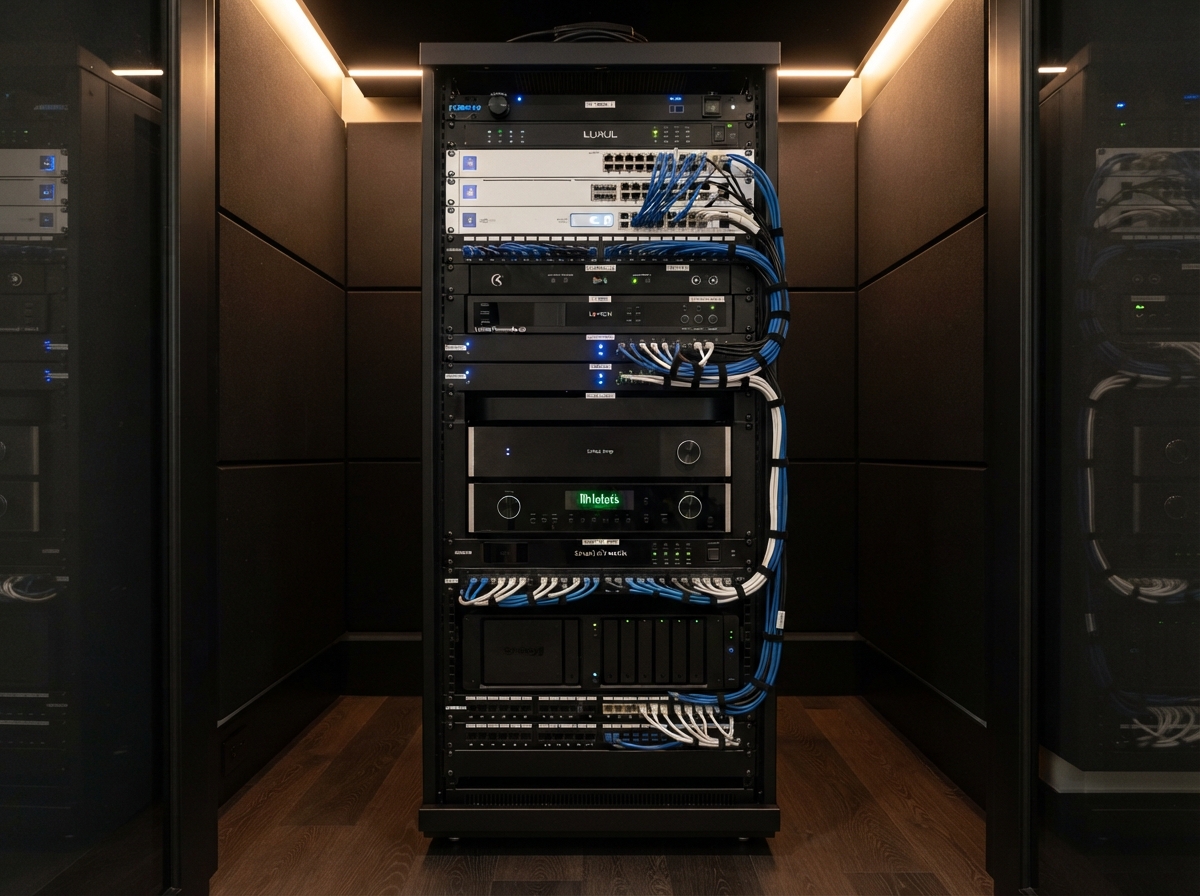
The network is the foundation for control, cameras, streaming, remote work and mobile apps. Ask who plans the internet handoff, gateway, switches, access points, wired connections, rack power and coverage—and who diagnoses those systems later.
"The internet provider handles it" is not a complete network plan for a connected home.
3. How do you plan Wi-Fi coverage?
Square footage alone is not enough. Wall materials, floor levels, ceiling height, nearby interference, outdoor areas and the placement of wired access points all matter.
Ask whether the installer plans from drawings, verifies conditions onsite and tests coverage after installation. Adding wireless nodes after the fact should not be the only method.
4. What will be wired, and what will depend on wireless?
Fixed, high-demand and infrastructure devices often benefit from wired connections. Ask which televisions, access points, cameras, controllers and work areas will be wired, and why.
A good answer will also acknowledge where wireless is appropriate. "Everything wired" and "everything wireless" can both be signs that the design is not responding to the house.
5. How will you coordinate with the builder and other trades?
In new construction, the technology plan touches electrical, cabinetry, HVAC, window treatments, security, lighting and interior design. Ask who marks the drawings, attends coordination meetings, approves rough-in changes and walks the framed home.
Also ask how late decisions become change orders. Clear deadlines protect both the homeowner and the builder.
6. What documentation will I receive?
Ask for a specific list:
- cable labels and schedules;
- rack or connection records;
- device naming standards;
- network and account ownership details;
- controller or configuration backups where the platform allows;
- installed model numbers;
- warranty information; and
- a record of known limitations.
Documentation protects the homeowner when employees, service companies or owners change.
7. Who owns the accounts, credentials and programming access?
The homeowner should leave the project with appropriate ownership of customer accounts, recovery contacts and subscriptions. Personal passwords should not be passed around as a substitute for a supported transfer.
Ask which programming tools or project files are dealer-controlled by the platform, which customer records you receive and what happens if you change service providers. The answer should be candid about real platform boundaries.
8. How do you prevent product lock-in from becoming service lock-in?
Some professional systems appropriately depend on authorized providers. That does not excuse missing documentation, unclear ownership or a design that cannot be serviced.
Ask what can be supported by another qualified provider, which components are proprietary, how standard network and wiring practices are preserved and whether the proposal explains those tradeoffs before purchase.
9. How are proposals and change orders structured?
Compare more than the bottom line. A useful proposal separates or clearly describes:
- design and project management;
- wiring and pathways;
- equipment;
- installation labor;
- programming and commissioning;
- electrical or construction exclusions;
- taxes and permits where applicable;
- training and documentation; and
- ongoing support.
Ask who can authorize changes, how costs are approved and what happens when field conditions differ from the plans.
10. How will the system be tested and handed off?
Commissioning should cover normal use, not only whether devices turn on. Ask how the installer tests network coverage, camera recording, audio zones, remotes, lighting, account access and recovery after a controlled restart.
The homeowner should receive practical training and a clear way to report incomplete work. A demonstration is not documentation.
11. What happens when equipment reaches the end of its useful life?
Ask how the design separates long-life infrastructure from short-life electronics. A thoughtful upgrade strategy uses accessible pathways, standard wiring where practical, serviceable racks and documented integrations.
No installer can promise that every future product will fit. They can avoid making predictable change unnecessarily destructive.
12. What support is available after installation?
Clarify:
- workmanship coverage;
- manufacturer warranty handling;
- remote and onsite service options;
- response expectations;
- software and firmware maintenance;
- backup practices;
- monitoring or care-plan terms; and
- what support is optional versus required.
Ask for the process, not a promise that "we will take care of you."
Warning signs during the selection process
- The conversation begins and ends with brands.
- No one accepts responsibility for the network.
- The proposal omits programming, documentation or commissioning.
- Account ownership is vague.
- Every existing device is condemned without diagnosis.
- Wireless products are proposed without considering available wiring.
- Change-order approval is informal.
- The company cannot explain what happens after handoff.
A fair way to compare proposals
Normalize the scope before comparing price. Two proposals are not equivalent if one includes structured wiring, rack work, network design, programming, testing and documentation while the other lists only visible equipment.
Use the Smart Home Planning Guide to define the decisions first. Review the Prewire Checklist if construction is underway, and read Smart Home Installation Cost in DFW to understand the major cost drivers.
Ready to compare the plan—not just the product list?
Smart Home DFW can help define the scope, review the property and explain which decisions belong in the infrastructure plan before equipment is selected.
Need help with your home technology?
If something isn't working — or you're planning what's next — Smart Home DFW can help. Tell us what's going on and we'll help you figure out the right next step.