Wi-Fi & Networking
UniFi vs. Consumer Mesh Wi-Fi for Large Homes
Consumer mesh can be a good solution for a straightforward home. Larger, multi-level or construction-heavy properties often benefit from planned access-point locations, wired connections and better visibility when something fails.
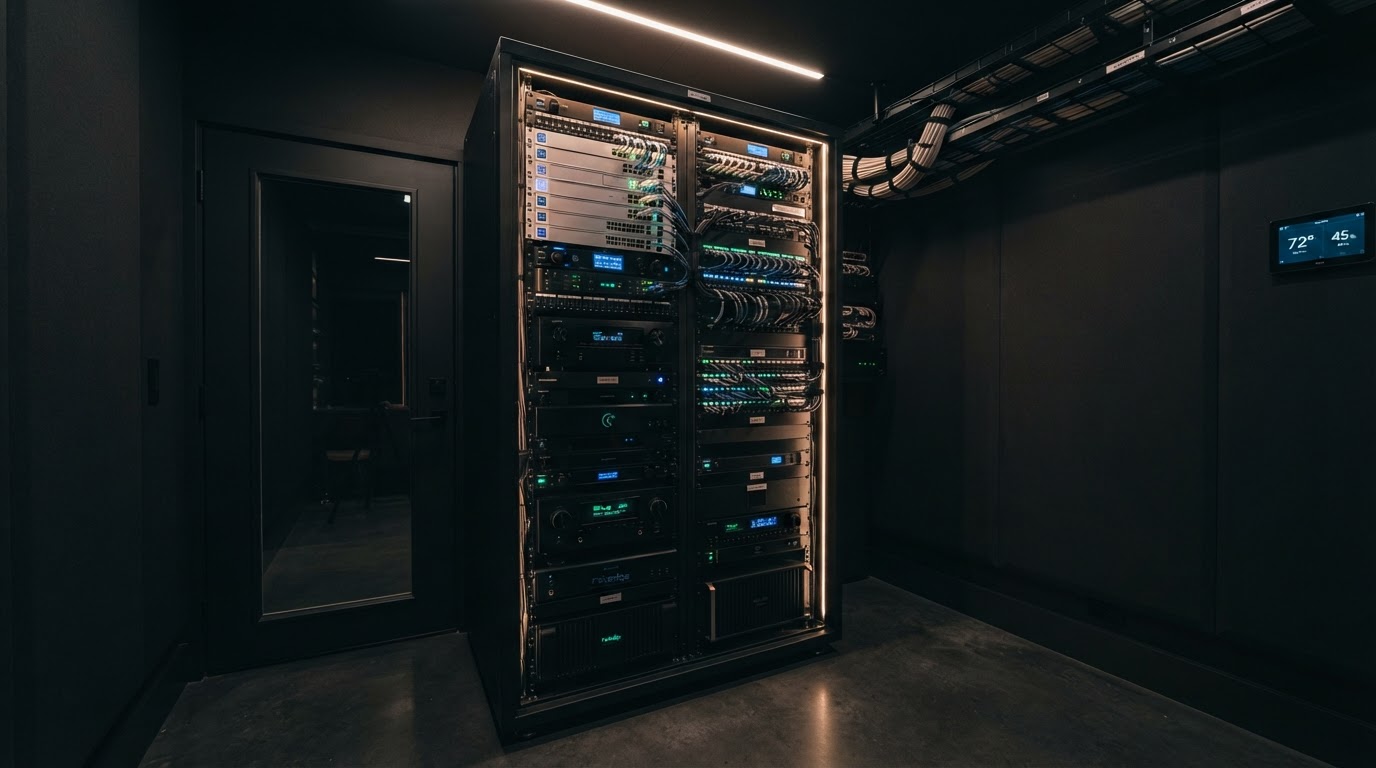
Consumer mesh can be a good solution for a straightforward home. Larger, multi-level or construction-heavy properties often benefit from planned access-point locations, wired connections and better visibility when something fails.
The useful question is not "Which brand wins?" It is "Which architecture fits the house, the household and the person who will maintain it?"
The architectural difference
A typical consumer mesh kit combines simple app-based management with multiple wireless nodes. Some systems support Ethernet connections between nodes; others are installed primarily with wireless backhaul. Setup is designed for homeowners who want a small number of choices and one support path.
A UniFi design commonly uses separately placed access points connected to network switches, with centralized management and more visibility into devices, links and configuration. UniFi also supports wireless meshing, but Ubiquiti's own guidance notes that mesh performance depends on radio conditions and recommends careful placement; wired uplinks avoid spending wireless capacity carrying traffic between access points.
Neither description guarantees a good installation. Poorly placed wired access points can perform badly, and a thoughtfully placed consumer mesh system can work very well.
Wired backhaul matters
Backhaul is the connection from an access point or mesh node to the rest of the network.
With wired backhaul, Ethernet carries that traffic. The access point can focus its radio time on client devices. Wired connections also make placement less dependent on receiving a strong signal from another node.
With wireless backhaul, each node needs a healthy radio path to its upstream node. A mesh unit placed in a dead zone cannot create a wired-quality connection; it repeats what it can receive. More nodes can help coverage, but they can also add interference or additional wireless hops if placement is not planned.
From the field: In many DFW homes, intentional cable routes and ceiling-mounted access points outperform adding nodes where coverage already feels weak.
Coverage design is more than square footage
Consider:
- floor count and layout;
- masonry, tile, metal, mirrors and other signal-blocking materials;
- ceiling height;
- equipment closets and mechanical spaces;
- outdoor living areas;
- detached buildings and gates;
- neighboring networks and interference; and
- where high-demand devices are actually used.
An access point should be placed to serve the space, not merely where cable was easiest to pull. After installation, verify coverage and real use instead of relying only on a coverage promise printed on a box.
Roaming is a client decision too
In a multi-access-point network, phones and other devices decide when to leave one access point and join another. The network can provide information and features that help, but it cannot force every client to behave identically.
Good roaming begins with sensible placement, channel planning and power levels so coverage overlaps without every access point shouting across the entire house. Adding more access points is not automatically an improvement.
Management and troubleshooting
Consumer mesh
Consumer systems typically prioritize a simple mobile app, automatic settings and a smaller support burden. That can be exactly right for a homeowner who wants to manage a modest network without learning enterprise concepts.
The tradeoff may be less detail when diagnosing a wired link, congested radio, unusual device or multi-system interaction. Capabilities vary by product, so compare the actual system rather than the word "mesh."
UniFi
UniFi can provide a unified view of gateways, switches, access points and connected devices when the network is designed within that ecosystem. It can support more deliberate segmentation, monitoring and expansion.
That visibility creates responsibility. Someone must own administrator access, backups, updates, alerts and troubleshooting. A powerful dashboard is not a substitute for documentation or a service plan.
When consumer mesh is enough
Consumer mesh may be the better fit when:
- the home is modest in size and construction complexity;
- a small number of nodes provides stable coverage;
- the homeowner wants simple self-management;
- few fixed systems depend on the network;
- advanced segmentation and detailed monitoring are unnecessary; and
- wired backhaul is available or wireless node placement is genuinely strong.
There is no value in installing a more complex platform solely to say the home has one.
When a planned UniFi network may be worth it
UniFi may be a stronger fit when:
- the property needs multiple deliberately placed access points;
- wired cameras, automation, audio/video or other systems share the network;
- managed switching and Power over Ethernet simplify fixed devices;
- the owner or service provider needs better diagnostic visibility;
- separate guest, household or device networks are part of the design;
- the system will expand; or
- someone is clearly responsible for ongoing management.
This is not a claim that UniFi is always the answer. It is a reason to compare architecture and ownership instead of retail box features.
A side-by-side planning view
| Question | Consumer mesh | Planned UniFi network |
|---|---|---|
| Setup | Usually simpler and app-led | More design and configuration choices |
| Backhaul | Wireless or Ethernet, product-dependent | Commonly wired; wireless meshing is also available |
| Visibility | Focused homeowner interface | Broader infrastructure and client visibility |
| Expansion | Easy within supported consumer ecosystem | Flexible across gateways, switches, APs and PoE devices |
| Segmentation | Varies by product | More deliberate network options |
| Ownership | Usually homeowner-managed | Homeowner or service provider must clearly own management |
| Best fit | Straightforward homes and simpler needs | Larger or system-heavy properties needing planned infrastructure |
Questions to answer before choosing
- Where can Ethernet be installed or reused?
- Which rooms and outdoor areas need dependable coverage?
- How many cameras, televisions, control devices and workstations depend on the network?
- Who will own administrator access and backups?
- Who will install updates and respond to alerts?
- Is the problem coverage, internet service, device behavior or the existing network design?
- How will performance be tested after installation?
If construction is still open, include the answers in the Smart Home Prewire Checklist. For a broader design, begin with the Smart Home Planning Guide. If an existing system is unreliable, diagnose it before assuming every network component needs replacement.
Need a network plan that fits the property?
Smart Home DFW can evaluate the internet handoff, wired infrastructure, access-point locations and ownership model before recommending consumer mesh, UniFi or a staged improvement.
Review Wi-Fi and network options
Product claim source
Need help with your home technology?
If something isn't working — or you're planning what's next — Smart Home DFW can help. Tell us what's going on and we'll help you figure out the right next step.